


One Tool for Invoicing, GST Filing, Inventory & More — NextBill Has You Covered
Create free Estimate with NextBill’s Estimate tool
How does NextBill help you to file GST?
- Auto-fetches data from your invoices
- Prepares GSTR-1, GSTR-3B & NIL returns
- Match sales & purchase entries
- One-click GST filing from dashboard
- No manual work, no errors
- 100% GSTN-compliant process
- File monthly or quarterly with ease

What is an Estimate, and why is it important?
An estimate is a document that communicates to a customer the full description of the costs and scope involved in a product or service before the final invoice is issued. It will serve as an estimated price, giving a mutual understanding on the part of the business and the customer regarding price, terms, and conditions.
It is an informal document usually used during the initial stages of sales between the seller and customer. It is also a way to convey agreement and negotiate on the price and scope of work before it commences. It is also known by the names of proforma invoices or cost estimates, or bids.
Benefits of using an Estimate Generator


- You can easily convert estimates into invoices with a click.
- Any user can organize their estimates without putting any additional time and effort.
- Users can use a professionally designed estimate to impress their clients.
- Know when customers receive your estimates.
- See an overview of your business at a glance, without any effort.
Steps to Generate an Estimate on NextBill Estimate Generator
- Upload your company logo, estimate number, estimate date, and reverse charge mechanism.
- Enter your company's information, including its business name and physical address.
- Users can use a professionally designed estimate to impress their clients.
- Enter your customer's information, including their business name and physical address.
- Add item information and a brief description, along with its quantity, price, and tax rate.
- If you have more than one line item to include on your estimate, click "Add new item" to include it.
- Add your bank account details and UPI ID..
- Once the above steps are complete, click "Download Estimate PDF" to receive your free estimate.
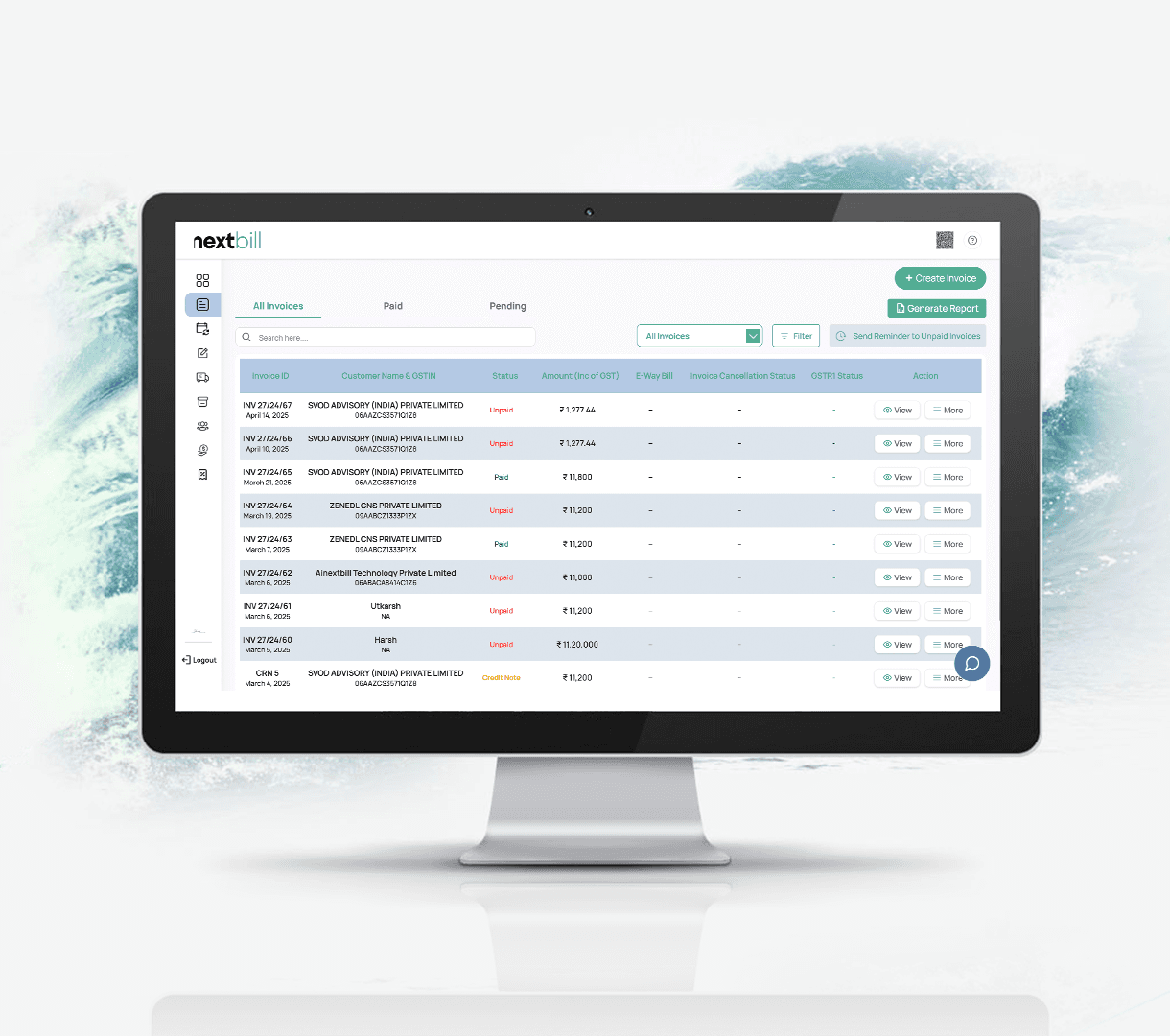
Create and Manage Invoices Easily With Smart Automation
Generate professional invoices in just a few clicks with automatic tax and total calculations, personalized branding options like your logo and business details, and instant sharing via email or download. Eliminate the hassle of manual billing and paperwork, and ensure your invoices look professional, accurate, and business-ready every time.
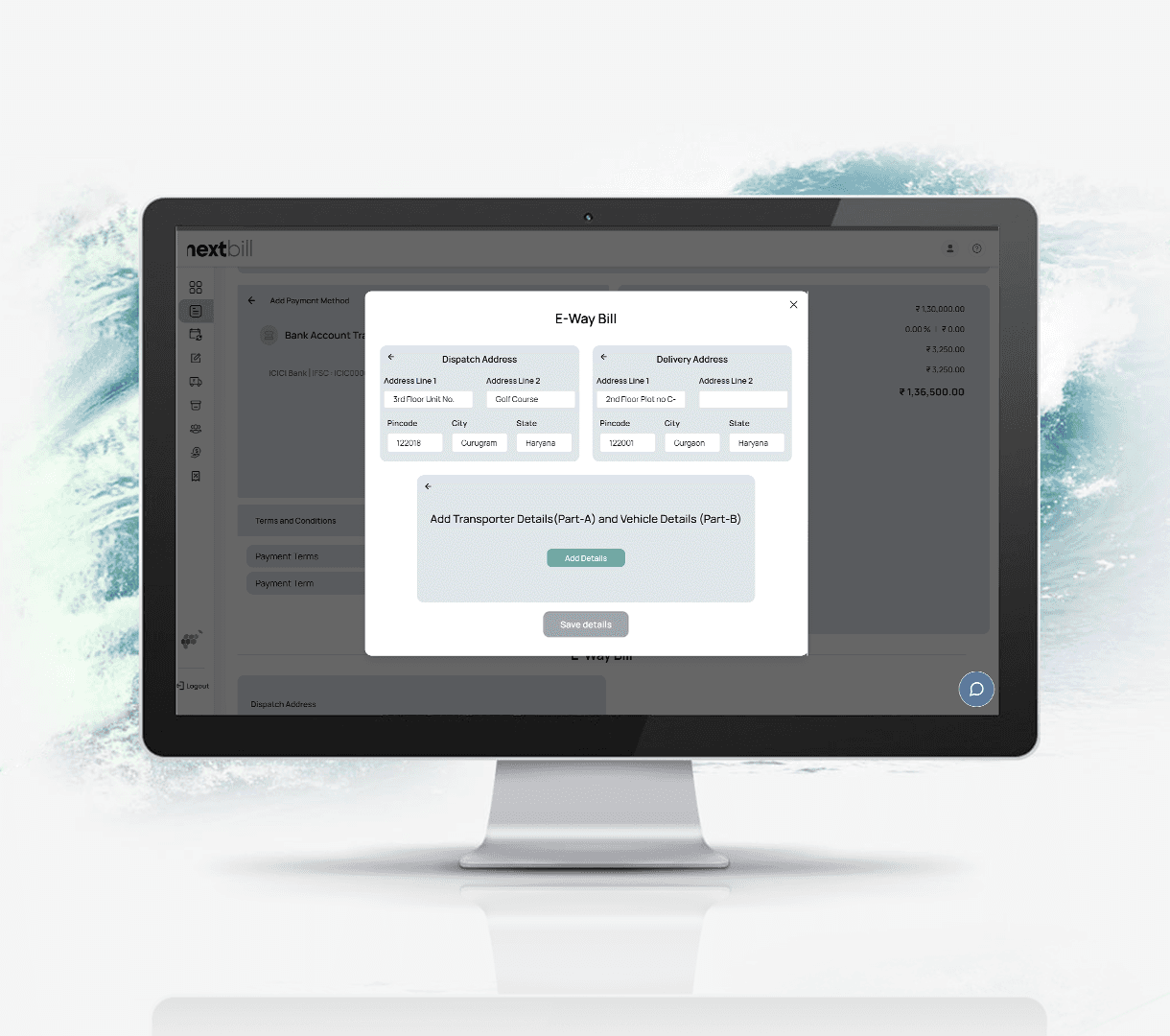
Generate E-Way Bills Instantly within Your Invoice Flow
No more delays, confusion, or paperwork—NextBill lets you create, track, and manage E-Way Bills effortlessly from a single platform. Generate E-Way Bills in seconds, stay GST-compliant, and ensure smooth transportation of goods with real-time tracking and accurate documentation, all in one place.
Benefits of using NextBill for Estimate Management
- Time Saver
The automation of the estimation process saves you more hours that can be used to expand your business instead of wasting valuable hours in the preparation of documents. - Professional Look
Well-presented and attractive-looking estimates make a good impression and encourage the confidence of your customers. - Error Reduction
Calculations of tax and discount through automation would ensure that your estimates are accurate and reliable. - Improved Customer Satisfaction
Providing customers with accurate and prompt estimates increases the chances of them trusting your business and completing their purchases. - Streamlined Record Management
Having all your estimates organized digitally in one place makes record-keeping a much easier task. - If you have more than one line item to include on your estimate, click "Add new item" to include it.
- Add your bank account details and UPI ID..
- Once the above steps are complete, click "Download Estimate PDF" to receive your free estimate.

Frequently asked questions
What is an estimate, and how is it different from an invoice?

An estimate is a cost proposal sent before work begins, whereas an invoice is a formal demand for payment after delivery.
Can I convert an estimate into an invoice on NextBill?
Absolutely; once your client approves an estimate, you can convert it into a final invoice with a single click.
How do I customise my estimates?
You can easily add your company logo, custom terms, and specific payment methods to any estimate.
Can NextBill handle TDS and TCS on estimates?
Yes, the system automatically detects and applies relevant TDS/TCS rates based on the items and customer selected.
Do I need technical knowledge to create an estimate?
No, the interface is designed for simplicity, allowing anyone to create a professional quote in seconds.
What is NextBill, and how does it simplify billing?
NextBill is an AI-powered platform that automates GST-compliant invoicing, estimates, and tax filing to reduce manual errors.
Is NextBill fully GSTIN-compliant?
Yes, every document and return generated is 100% compliant with the latest GSTN regulations.
Can I use NextBill for free?
NextBill offers free tools and flexible pricing plans tailored for businesses at different scales.
Is my data safe with NextBill?
NextBill uses industry-standard encryption to ensure your financial data and customer details remain secure and private.
Can I add multiple users to my account?
Yes, you can add multiple users and control their specific permissions within the platform.
Can I add multiple users to my account?
Yes, you can add multiple users and control their specific permissions within the platform.
How does NextBill help with GSTR-1 and GSTR-3B filing?
The system auto-fetches data from your invoices to prepare accurate returns that you can file with one click.
What is ITC reconciliation, and why does it matter?
It matches your purchase entries with supplier data to ensure you claim 100% of the Input Tax Credit you are owed.
Can I generate E-Way bills directly?
Yes, for invoices exceeding ₹50,000, you can generate a GST-compliant E-Way bill instantly from the dashboard.
Does NextBill handle NIL returns?
Yes, you can file NIL returns directly through the dashboard without any manual paperwork.
Can I send automated payment reminders?
NextBill allows you to track unpaid bills and send professional payment reminders to improve your cash flow
Payments and Accounting, finally in sync
NextBill AI transforms payment reconciliation from a tedious task into a one-click process.
It auto-matches transactions, create payments, and highlights only what needs your attention — giving you clarity and control like never before.