


NextBill Powers Your Business with Effortless Billing, Filing & Inventory Management
Create free Invoice with NextBill’s comprehensive Invoicing tool
How does NextBill help you to file GST?
- Auto-fetches data from your invoices
- Prepares GSTR-1, GSTR-3B & NIL returns
- Match sales & purchase entries
- One-click GST filing from dashboard
- No manual work, no errors
- 100% GSTN-compliant process
- File monthly or quarterly with ease

What is an Invoice and its benefits?
An invoice is a document sent by a seller to a buyer that lists products or services provided, their prices, and the total amount due. It acts as a payment request and legal proof of a transaction.
Benefits:
Invoices help track sales, ensure timely payments, and maintain financial records. They support tax filing, reduce disputes, and improve cash flow management. With tools like NextBill, invoicing becomes faster, more accurate, and fully compliant with GST norms.
Why does invoicing matter for a business?


Invoicing is more than just a formality — it’s how your business earns and grows. A clear and professional invoice ensures you get paid on time, maintains trust with clients, and keeps your accounts organized. With automated tools like NextBill, you can create GST-compliant invoices in seconds, track payment status, and reduce follow-ups. It saves time, minimizes errors, and keeps your cash flow steady, so you can focus on what matters: running your business.
At NextBill, we recognize the difficulties encountered by Indian businesses and offer a straightforward, user-friendly platform for managing your invoicing requirements. You can create GST-compliant e-invoices in just a few clicks, with no need for technical know-how to use Nextbill's user-friendly interface.
What makes a digital invoice better than a manual one?
Manual invoicing is slow and prone to mistakes. Digital invoicing with NextBill means everything is automated- tax is calculated, totals are accurate, and invoices are instantly ready to send. You can customize, duplicate, or convert estimates into invoices in one click. Plus, it tracks every due and paid bill for you. This reduces admin work, eliminates human error, and ensures that every invoice you send is professional, compliant, and on time.
Whether you own a small retail outlet or a growing enterprise, NextBill offers flexible price plans according to your needs. You can easily access enterprise-grade solutions without feeling the pinch. NextBill ensures that your invoice is so you can focus more on your business rather than drowning in billing troubles.
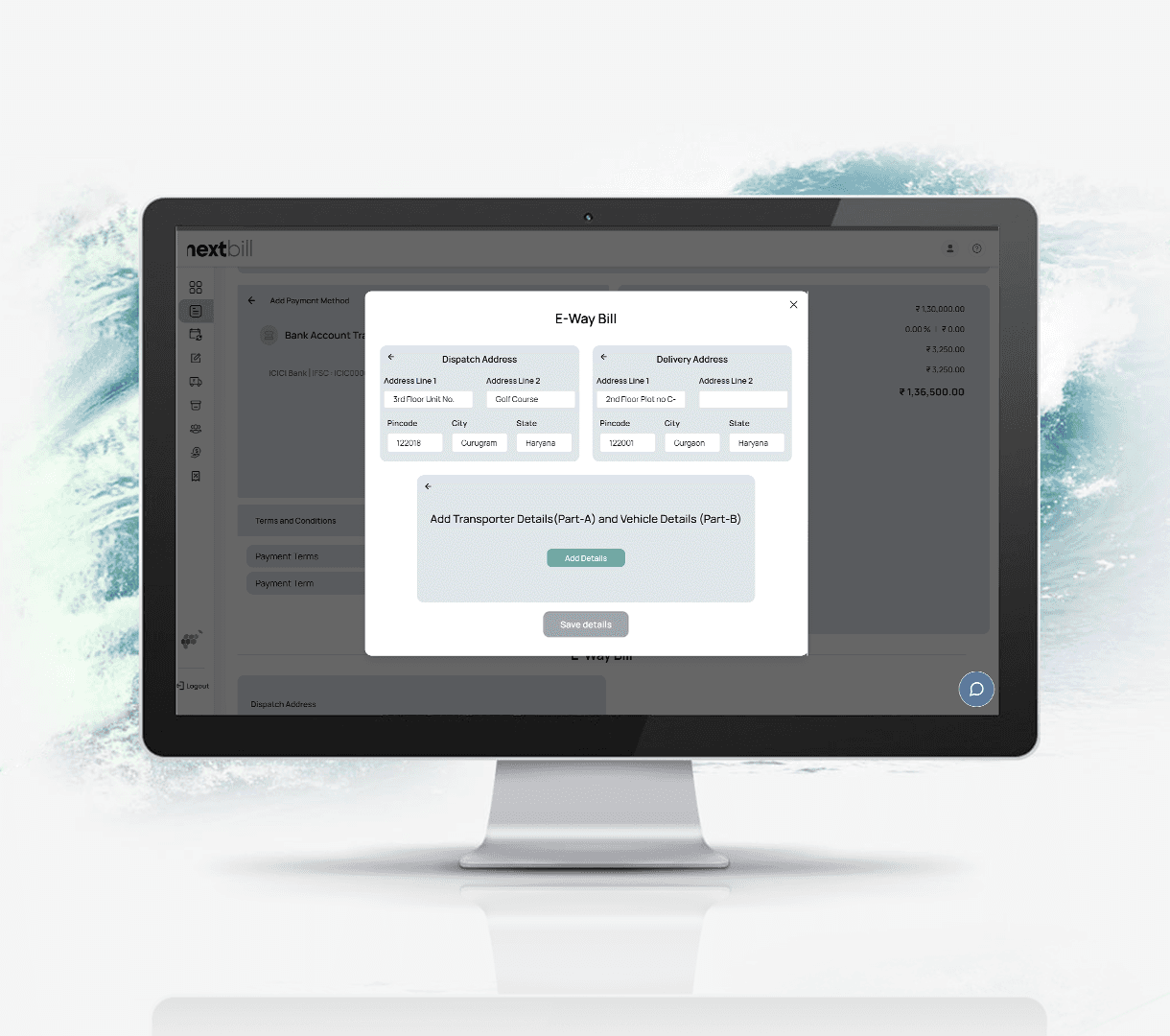
Generate E-Way Bills Instantly within Your Invoice Flow
No more delays, confusion, or paperwork—NextBill lets you create, track, and manage E-Way Bills effortlessly from a single platform. Generate E-Way Bills in seconds, stay GST-compliant, and ensure smooth transportation of goods with real-time tracking and accurate documentation, all in one place.
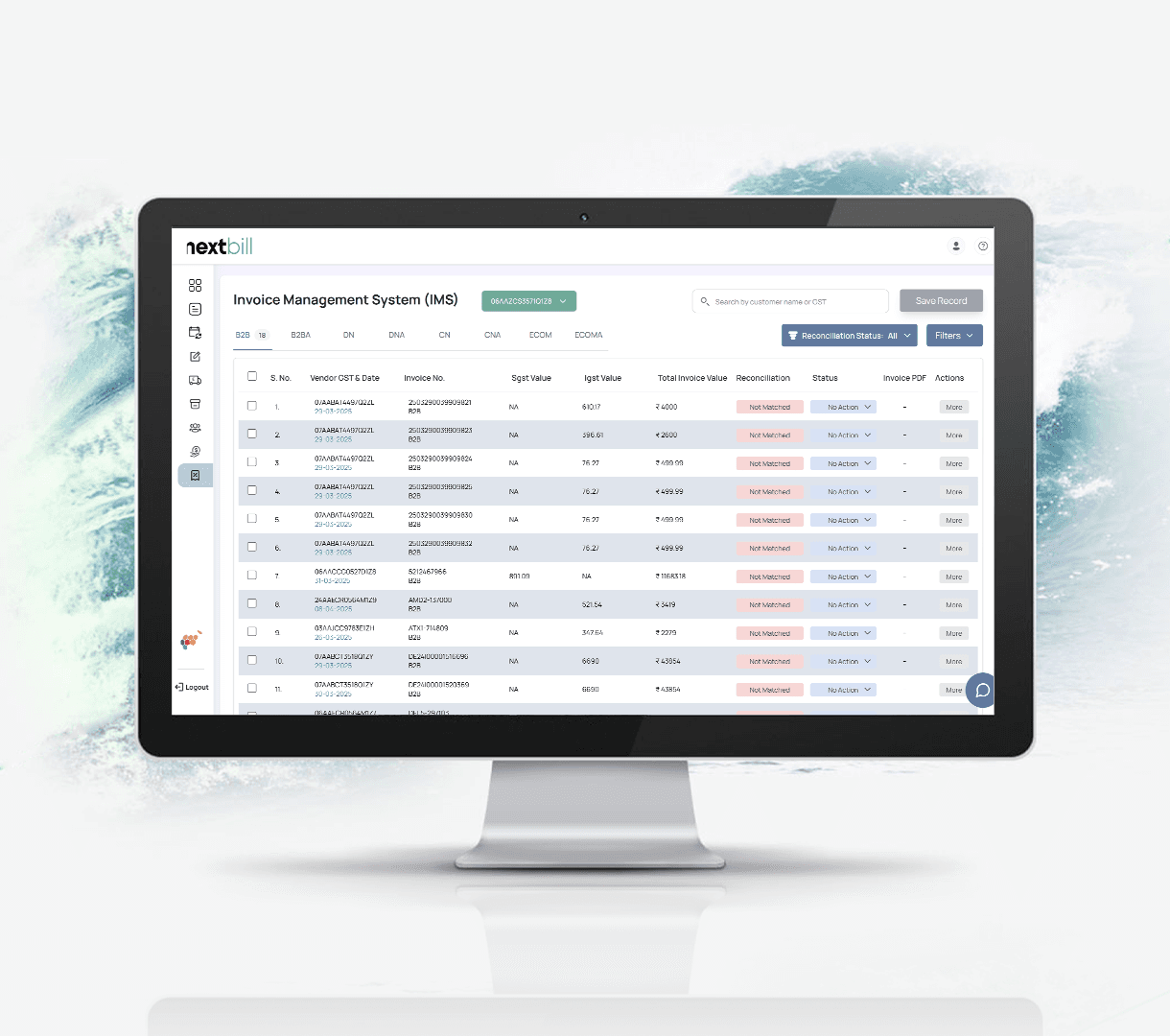
Accept, Reject, or Organize Invoice In One Smart System
Take control of your GST compliance with the all-new Invoice Management System (IMS). Seamlessly track, accept, reject, or keep supplier invoices on hold — all in real time. Reduce mismatches, prevent ITC errors, and simplify reconciliation with a smart-all, from a single, streamlined dashboard.
How does digital invoicing improve my cash flow?
Digital invoicing speeds up the entire billing cycle. With NextBill, you can send invoices instantly via email or WhatsApp, get notified when they’re viewed, and set up automatic reminders for payments. This means faster collections and minimum delays. It also provides real-time tracking of outstanding invoices, helping you stay in control of your cash flow. With faster processing and less missed payments, your business stays financially healthier and stress-free.

Frequently asked questions
What kind of details can I add to my invoice in the free invoice generator tool?

You can add your company logo, seller information with address, buyer information with address, add shipping and dispatch address, add item details, and add a bank account.
What is a tax Invoice?
A tax invoice is a legal document issued by a registered seller to a buyer during a sale. It shows the details of the products or services sold, their quantities, prices, and the exact GST amount charged.
What is a bill of supply?
A bill of supply is issued instead of a tax invoice when a seller cannot charge GST to the customer. This happens if you are a small business registered under the GST Composition Scheme, or if you are selling goods or services that are completely exempt from tax by the government.
What is a performa invoice?
A proforma invoice is an estimated bill sent to a buyer before the goods or services are delivered. It serves as a formal quotation outlining the final costs.
How do I send an invoice?
With NextBill, you can send your invoice as soon as it is ready. You can download it directly as a PDF to email or WhatsApp to your client, or use our one-click sharing feature to send it straight to their inbox directly from the platform.
How do I create a recurring invoice?
To automate invoices for repeat clients or monthly subscriptions, turn on the "Recurring" toggle when creating a bill in your NextBill account. Set your preferred schedule (weekly, monthly, or yearly), and the system will automatically generate and send the invoice on those exact dates.
Can I change my currency in my invoice?
Yes. If you are dealing with international clients, you can change the currency settings in the invoice editor. NextBill allows you to select your preferred global currency and handles the formatting automatically so you can bill international clients effortlessly.
How can I make an invoice for free?
You can use NextBill’s Free Invoice Generator tool directly on our website. Simply type in your business details, add your customer’s info, list your items, and the system will calculate the taxes for you. You don't need an account or a credit card to create your first bill.
Can I generate a PDF invoice using NextBill invoice generator?
Yes, absolutely. As soon as you finish entering your billing details into the free generator, click the "Download PDF" button. The system instantly formats your data into a clean, professional, and GST-ready PDF layout that is ready to share with your clients.
Do I need technical knowledge to create an invoice?
No, the interface is designed for simplicity, allowing anyone to generate a professional invoice in seconds.
Is NextBill fully GSTIN-compliant?
Yes, every document and return generated is 100% compliant with the latest GSTN regulations.
Can I generate E-Way bills directly?
Yes, for invoices exceeding ₹50,000, you can generate a GST-compliant E-Way bill instantly from the dashboard.
Can I send automated payment reminders?
NextBill allows you to track unpaid bills and send professional payment reminders to improve your cash flow
Is my data safe with NextBill?
NextBill uses industry-standard encryption to ensure your financial data and customer details remain secure and private.
Does NextBill provide one-click GST filing?
Yes, NextBill allows you to file both GSTR-1 and GSTR-3B directly with a single click. The platform automatically prepares and validates your returns in real-time, eliminating the need to manually export data or upload JSON files to the government portal.
Payments and Accounting, finally in sync
NextBill AI transforms payment reconciliation from a tedious task into a one-click process.
It auto-matches transactions, create payments, and highlights only what needs your attention — giving you clarity and control like never before.